
Introduction
A great setup is about more than a powerful laptop or smartphone. The right accessories can make everyday charging easier, keep your devices powered while travelling, improve your listening experience, and reduce clutter on your desk.
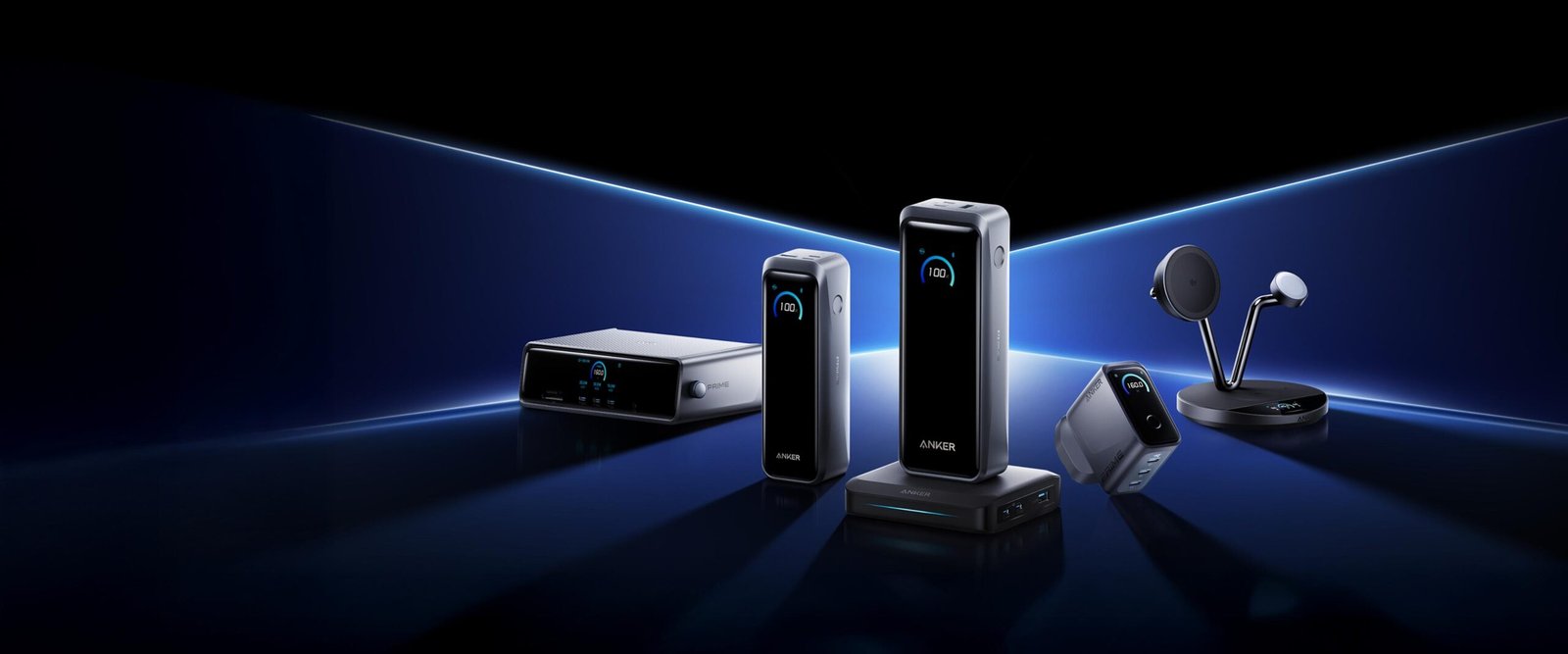
Anker has built its reputation around charging products and has expanded into power banks, cables, hubs, audio accessories, portable power, and smart home devices. Its audio products have traditionally appeared under the Soundcore name, while Eufy and other product lines serve additional needs. In September 2026, Anker announced a broader move to unify its brands under the Anker name, with existing products transitioning gradually.
But which products are actually worth adding to your setup? Here are the categories worth considering, what they do best, and what to check before buying.
1. Anker Nano Charger: A Smarter Everyday Essential

A compact USB-C charger is one of the most practical upgrades for a phone, tablet, or compatible laptop setup. Anker’s Nano range focuses on small chargers that are easy to carry in a backpack or keep beside your desk.
Why consider one?
- Space-saving design: Convenient for travel and crowded power strips.
- USB-C charging: Useful for many modern phones, tablets, and other compatible devices.
- Multiple power options: Different models serve different charging requirements.
The key is choosing the right wattage. A small charger designed for a phone may not deliver enough power for a laptop. Check your device’s supported charging standard and power requirements before purchasing.
Best for: Students, commuters, and anyone who wants a compact everyday charger.
2. Anker Power Bank: Reliable Power on the Go

A power bank is one of the most useful accessories for people who work remotely, travel frequently, or spend long days away from a power outlet.
Anker’s range includes portable options with built-in cables and higher-capacity models designed for demanding devices. For example, the Zolo 20K power bank with an integrated USB-C cable is worth investigating if you want fewer separate accessories in your bag. The official Indian store also lists a Nano power bank with a 10,000mAh capacity and built-in USB-C cable.
Before buying, consider:
- Capacity: Higher capacity generally means more stored energy but often a larger, heavier unit.
- Output wattage: Important if you want to charge a tablet or laptop.
- Built-in cables: Convenient, though you should confirm connector compatibility.
- Airline rules: Check the applicable battery-capacity limits before flying.
Best for: Travellers, commuters, students, and mobile professionals.
3. Anker USB-C Hub: Upgrade Your Laptop Workspace

If your laptop has only a few ports, a USB-C hub can make your workspace considerably more practical. Compatible hubs can provide additional USB connections, display output, card readers, and pass-through charging.
This is particularly useful if you regularly connect an external monitor, keyboard, mouse, external storage, or other desk accessories.
However, not all hubs support the same capabilities. Check the exact model’s display resolution, refresh rate, data-transfer speeds, and power-delivery limits. Your laptop’s USB-C port must also support the features you intend to use.
Best for: Remote workers, students with limited-port laptops, and people building a multi-device desk setup.
Mid-article product promotion

Placement: After the USB-C hub section. Suggested CTA: “Explore Accessories for Your Setup.” Link to a verified product category or approved affiliate landing page.
4. Soundcore Wireless Earbuds: Everyday Audio Without the Fuss

For music, podcasts, online classes, and commuting, wireless earbuds can be a valuable addition to your setup. Soundcore models have covered several price tiers, including affordable everyday earbuds and options with active noise cancellation.
One example is the Soundcore P30i. It is worth comparing if you want a compact wireless audio option without automatically stepping up to premium pricing.
Before buying, evaluate fit, microphone quality, battery life, noise cancellation, and whether the companion app supports the features you want. Specifications differ by model, so do not assume every pair includes the same capabilities.
Best for: Students, commuters, casual listeners, and people attending calls on the move.
5. Anker Charging Station: Reduce Desk Clutter

If you regularly charge several devices, a multi-device charging station can make your desk or bedside table more organised.
Depending on the model, you may be able to charge a phone, earbuds, and other compatible devices from one central location. Some products are designed specifically for magnetic wireless charging, while others rely on USB-C connections.
Check compatibility carefully. Wireless charging standards, supported phone models, charging speeds, and included power adapters vary. A charging station is worthwhile when it replaces several separate chargers without sacrificing the charging performance you need.
Best for: People with multiple everyday devices and anyone who wants a cleaner desk.
6. Anker USB-C Cables: The Small Upgrade That Matters

A quality cable may not be the most exciting addition to a setup, but it can make a real difference to everyday convenience.
Anker sells cables with different connector types, lengths, and power ratings. Choose a cable based on the device you are charging and the work you need it to perform.
For example, a cable suitable for basic phone charging may not support the same power delivery or data-transfer speeds required for a laptop or external storage device.
Look for the stated wattage, supported data standards, connector compatibility, and length. Avoid paying extra for specifications you do not need, but do not assume every USB-C cable is interchangeable for every task.
Best for: Anyone replacing worn cables or building a dependable everyday charging kit.
7. Anker Portable Speakers: Take Your Audio Beyond the Desk

A portable Bluetooth speaker is a useful addition if you want music while working, relaxing, or spending time outdoors. Soundcore’s speaker range includes compact models for personal listening and larger options designed for more powerful sound.
When comparing models, focus on sound quality, battery life, water resistance, portability, and how easily the speaker connects to your devices. A compact speaker is convenient for travel, while a larger model may be better suited to shared listening.
Consider your environment, too. A speaker designed for a bedroom desk does not necessarily need the same output or durability as one intended for outdoor use.
Best for: Music lovers, travellers, and people who want a flexible audio setup.
8. Which Anker Products Should You Buy First?
Your ideal setup depends on how you use your devices. Here’s a quick guide to prioritising purchases.
| Your setup | Best starting point |
|---|---|
| Student or everyday laptop user | Nano charger and USB-C cable |
| Frequent traveller | Power bank with suitable capacity |
| Remote worker | USB-C hub and multi-port charger |
| Music and podcast listener | Soundcore wireless earbuds |
| Multi-device household | Charging station |
| Outdoor entertainment | Portable Bluetooth speaker |
You do not need to buy everything at once. Start with the accessory that solves your biggest problem, then add other products as your needs evolve.
9. Where Should You Buy Anker Products?
The safest starting point is the official Anker India store, which lists chargers, power banks, cables, hubs, headphones, earbuds, and speakers.
You can also compare reputable electronics retailers and established online marketplaces. Before placing an order:
- Compare the final price, including delivery charges and available discounts.
- Verify the exact model and specifications.
- Check the seller’s reputation and return policy.
- Confirm the warranty terms for your country and product.
- Be cautious of unusually low prices and unclear product origins.
Prices and availability can change, so compare current listings rather than relying on an old promotion or an advertised discount percentage.
Final Verdict: Which Anker Must-Haves Are Worth It?
Anker’s strongest appeal is the breadth of practical accessories available for everyday technology. A compact charger, a dependable power bank, a compatible USB-C hub, and a good set of wireless earbuds can all make a setup more convenient.
For most people, a charger and cable are the simplest starting point. Travellers will likely benefit more from a power bank, while laptop users who connect several peripherals may get greater value from a USB-C hub.
The best approach is to invest in products that address real needs rather than purchasing an entire collection simply because the products look appealing.
Our recommendation: Prioritise compatibility, charging requirements, portability, and warranty support. Choose carefully, and a few well-selected Anker accessories can make your setup more organised, flexible, and reliable.

Placement: Immediately after the final verdict. Suggested CTA: “Find the Right Accessories for Your Setup.” Link to a verified Anker product collection or approved affiliate URL.
Affiliate disclosure: This article may contain affiliate links. If you purchase through qualifying links, the publisher may earn a commission at no additional cost to you.
Frequently asked questions
1. What is Anker best known for?
Anker is particularly well known for charging accessories, including USB-C chargers, power banks, and cables. Its broader portfolio also covers audio, smart home, and other consumer technology products.
2. Which Anker product should I buy first?
A compact charger or quality cable is a practical starting point for most users. Frequent travellers may benefit more from a power bank, while laptop users with limited ports may prefer a USB-C hub.
3. Are Anker power banks suitable for laptops?
Some models support laptop charging, but others are intended primarily for phones and tablets. Check the power bank’s output wattage and your laptop’s charging requirements before buying.
4. Are Soundcore earbuds worth considering?
Yes, they are worth comparing if you want wireless audio at different price points. Evaluate comfort, sound quality, microphone performance, battery life, and noise cancellation for the specific model.
5. Where can I find official Anker products in India?
Start with the official Anker India store and check its product information, available support resources, and applicable warranty terms before purchasing.